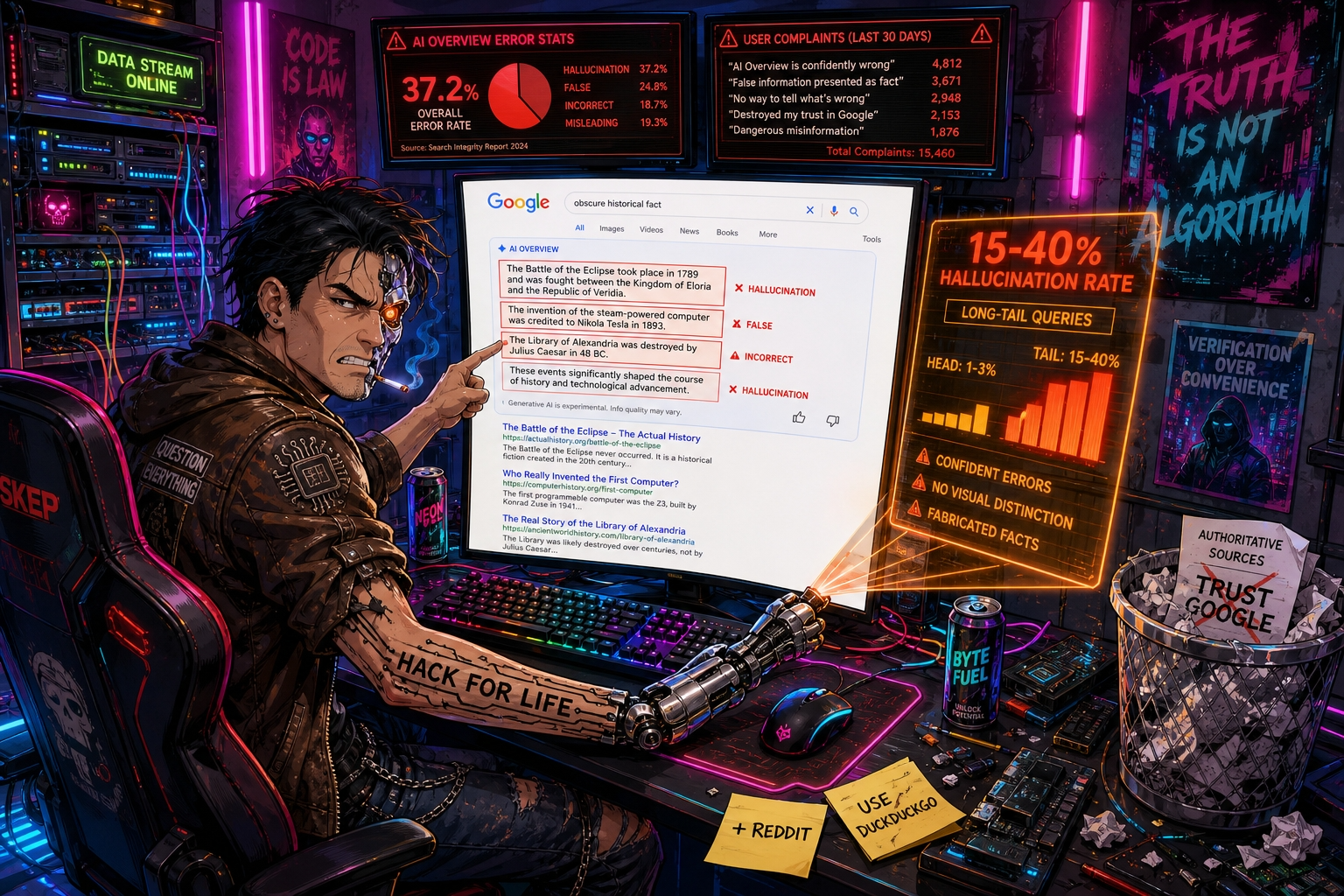
TL;DR: Google’s AI overviews hallucinate on 15 to 40% of long-tail factual queries, presenting confident but false information at the top of the results page. The problem hits hardest for obscure technical, historical, or local facts. The fix doesn’t come from Google itself, but from what you do in the next ten minutes.
Google’s AI answers are wrong more often than you think — and it’s not random
Open a Google search for an uncommon historical event, a niche Python library edge case, or a local regulation in a mid-sized city. The AI overview at the top may read as a clean summary, but the odds that it contains a material error are not low. Public hallucination benchmarks from 2026 show that frontier models, the class of systems powering these overviews, hallucinate on approximately 15 to 40% of long-tail factual queries. Head-of-distribution facts — capital cities, major dates — see only 1 to 3% errors, but the internet’s real value lives in the long tail. When you search for something specific because you need to get it right, the AI answer is disproportionately likely to be wrong.
The user backlash captured in the Reddit thread “Google has officially gone insane” isn’t just frustration with change. It’s a direct consequence of confident errors appearing where authoritative information used to be. Users describe adding “reddit” to queries because they learned that crowdsourced human discussion, however noisy, outperforms a model that doesn’t know what it doesn’t know. The same thread surfaces a migration toward DuckDuckGo and other non-AI search engines, not out of ideological preference but because getting the right answer matters.
The problem isn’t that AI sometimes makes mistakes. It’s that Google surfaces AI-generated text as a definitive answer, above the organic links, with no visual distinction that says “this might be fabricated.” A user who doesn’t scroll past the overview gets a plausible-sounding falsehood and no signal to doubt it.
Why the real cause is benchmark incentives, not just model flaws
The standard explanation is that models hallucinate because training data is imperfect or reasoning is incomplete. That’s true but superficial. The deeper structural problem is that the benchmarks used to evaluate these systems measure what vendors choose to measure, not real-world reliability in user workflows.
Consider the Mirage effect documented in multimodal AI evaluation. Researchers showed that frontier models generate detailed image descriptions and clinical findings even when no image is provided, a phenomenon they call mirage reasoning. The models fabricate plausible perceptual narratives by exploiting textual cues and hidden structure in benchmarks. The same mechanism operates in search: given a query string, Google’s AI constructs a coherent-sounding answer that matches the linguistic shape of an authoritative source, without actually verifying the underlying facts.
There’s an additional incentive problem. Google’s AI overviews keep users on the search results page instead of clicking through to external sources. That’s good for Google’s ad business but removes the corrective feedback loop where a user visits a site, reads more, and discovers the error. The system is optimized for engagement, not truthfulness. When a hallucinated answer appears, the user may never realize it’s wrong, and the signal “this query needed a better answer” never reaches the model.
Three concrete ways to bypass Google’s hallucinating AI today
The solutions are not theoretical. Each addresses the root cause differently: removing the AI layer, switching to a retrieval-first engine, or using AI with enforced citations.
Disable AI overviews with the udm=14 parameter. Google does not offer an official toggle to turn off AI overviews in the settings menu. However, the feature can be bypassed reliably. Add the parameter udm=14 to the URL of any Google search results page. This forces Google to show a clean results list without AI-generated summaries, knowledge panels, or other injected answer boxes. The parameter works persistently if you set it as the default search URL in your browser’s settings, or use a browser extension like “Hide Google AI Overviews” which injects it automatically on every search. This restores the pre-AI search experience with no loss of functionality.
Use DuckDuckGo as a reliable fallback for factual queries. DuckDuckGo does not inject AI summaries into its primary results. For factual queries where getting an accurate answer is more important than convenience, switching the search engine outright removes the hallucination vector. Set it as the secondary search engine in your browser’s search bar so that a different prefix — !g for Google, !d for DuckDuckGo — gives you a fallback with no friction. For long-tail technical queries, DuckDuckGo often surfaces relevant forum and documentation links more cleanly than Google’s AI-cluttered page.
Force citations when using AI for research. If you want the speed of an AI summary but need to verify it, use a chatbot that requires citations in its output. A prompt that begins “Answer with in-text citations from authoritative sources” forces the model to ground its response. Citation-required output reduces hallucination by 30 to 60% according to 2026 benchmarks. The citations give you a one-click path to verify the claim yourself. This isn’t instant like a search snippet, but it’s the only way to combine AI speed with actual reliability for critical information.
Who needs to act now and who can wait
Act now if you regularly search for obscure programming documentation, medical reference, legal or regulatory text by jurisdiction, niche historical research, or any topic where being wrong has a tangible consequence. The long-tail hallucination rate in these categories will not drop below 10% in the next year, and Google’s business incentives are aligned against removing the AI overview. If you work in a field where one incorrect fact can derail a project, a client report, or a health decision, the five minutes spent setting up udm=14 or a secondary search engine is the cheapest insurance available.
Wait if your searching is almost entirely head-distribution facts — capital cities, major news events, widely known product details — and you habitually scroll past the overview to organic results. In that case, the hallucination rate on your queries is probably 1 to 3%, and the annoyance of the AI box is cosmetic rather than dangerous. The problems will improve gradually, and the head-distribution case will be the first to stabilize.
One operational change: use two search engines until Google’s AI can be trusted
Make one specific change today that costs nothing and prevents real harm. Set your browser’s default search to Google with the udm=14 parameter baked into the URL, eliminating AI overviews entirely for routine queries. Then add DuckDuckGo as the alternative search engine accessible via a keyword shortcut. When a query is factually critical or long-tail, use the DuckDuckGo shortcut. The combination gives you Google’s indexing strength without the hallucination risk, and a fast fallback that prioritizes links over generated text.
Until Google decouples its AI features from its core search utility or adds a visible accuracy indicator, this two-engine approach is the only reliable way to avoid being misled by a confident-sounding error at the top of your screen. The model doesn’t know it’s wrong. That’s exactly why you need to.